Enterprise-grade patch management, vulnerability detection, compliance tracking, and policy control across Windows, macOS, and Linux.
Reviews
•
2026/06/15
Share:
Overview
TridentStack enters the endpoint management market with a bold proposition: unify patch management, vulnerability detection, policy enforcement, and compliance tracking into a single, agent-based platform that works across Windows, macOS, and Linux. The problem it solves is painfully familiar to IT teams and MSPs—tool sprawl. Organizations often juggle separate solutions for patching (Ivanti, ManageEngine), vulnerability scanning (Tenable, Qualys), policy enforcement (Group Policy, Jamf), and compliance reporting (CIS-CAT, SCAP tools). This fragmentation creates operational overhead, inconsistent data, and security gaps when tools don’t communicate.
TridentStack’s target audience is broad but specific: IT administrators managing hybrid workforces, MSPs overseeing multiple client fleets, and compliance-driven organizations that need audit-ready posture without manual effort. The product differentiates itself by connecting these four domains into a single remediation workflow. Unlike Microsoft Intune, which requires Azure AD and is Windows-centric, or Tanium, which is enterprise-scale and expensive, TridentStack offers cross-platform support with a lightweight agent and no dependency on on-premises Active Directory. Its free tier for up to 200 endpoints is a notable market differentiator—competitors like Automox and NinjaOne offer free trials but not permanent free tiers at this scale.
The thesis of this review is straightforward: TridentStack delivers genuine integration where others offer loose coupling. For teams tired of stitching together point solutions, it provides a coherent, actionable platform. However, its relative newness in a crowded market means potential buyers should evaluate its depth against established players for advanced use cases. The product’s website at TridentStack presents a clean, professional front, but the real test lies in whether the unified workflow delivers on its promise of reducing operational friction.
Key Features
Patch Management: TridentStack provides unified system and application updates across Windows, Linux, and macOS with phased deployment rings. In practice, IT administrators can create update rings that roll out patches to a test group first, then to production, with automatic rollback if issues are detected. The platform supports both OS-level patches and third-party application updates, reducing the need for separate tools like WSUS or Patch My PC. The value is clear: fewer failed patches, controlled rollout, and reduced risk of update-induced downtime.
Pros
+Unifies patch management, vulnerability detection, policy enforcement, and compliance in one platform.
+Supports Windows, macOS, and Linux with a single lightweight agent.
+Offers a free tier for up to 200 endpoints with no credit card required.
+Provides automated compliance scoring against CIS, DISA STIG, and Microsoft baselines.
+Enables policy deployment without Active Directory dependency, ideal for remote fleets.
Cons
–Limited third-party integrations mentioned beyond basic API and documentation.
–No mobile app for on-the-go management.
–Pricing for endpoints beyond the free tier is not transparent on the website.
Vulnerability Detection: Real-time CVE scanning with patch-to-vulnerability mapping and CISA KEV tracking is a core differentiator. The system continuously scans endpoints against the National Vulnerability Database and maps discovered vulnerabilities to available patches. When a new CISA Known Exploited Vulnerability is published, TridentStack flags affected endpoints and suggests remediation steps. This feature matters because it closes the gap between knowing about a vulnerability and actually patching it—a common failure point in security operations.
Policy Deployment: Thousands of policy settings are deployable without Active Directory dependency, with collision detection before deployment. This means IT teams can enforce security baselines, browser settings, firewall rules, and user permissions across all endpoints regardless of whether they’re domain-joined. The collision detection feature checks for conflicting policies before applying them, preventing the “last writer wins” problem that plagues Group Policy management. For organizations with remote or hybrid workforces, this eliminates the need for VPN connectivity to apply policies.
Compliance Tracking: Automated scoring and trending against CIS benchmarks, DISA STIG, and Microsoft baselines with remediation guidance. The platform generates compliance scores for each endpoint and tracks trends over time, showing whether posture is improving or degrading. When an endpoint falls out of compliance, TridentStack provides specific remediation steps—not just “fix this setting” but exact configuration changes needed. This transforms compliance from a periodic audit scramble into an ongoing, manageable process.
Fleet Health Dashboard: A weighted health score across vulnerabilities, compliance, updates, and network exposure provides at-a-glance visibility. The dashboard aggregates multiple data points into a single score, with drill-down capability to identify the worst-performing endpoints. IT managers can sort by health score to prioritize remediation efforts, rather than reacting to the loudest alarm. This feature is particularly valuable for MSPs managing hundreds or thousands of endpoints across different clients.
Lightweight Agent: Under 1 MB footprint with sub-5-minute deployment is a technical achievement worth highlighting. The agent installs silently via script, MSI, or MDM, and requires minimal system resources. Unlike competitors whose agents can consume 100+ MB of disk and noticeable CPU, TridentStack’s agent runs unobtrusively in the background. For organizations with older hardware or constrained environments, this low overhead is a practical advantage.
Cross-Platform Support: Native support for Windows, macOS, and Linux from a single agent and console. Many endpoint management tools treat non-Windows platforms as afterthoughts, with limited functionality or separate agents. TridentStack provides parity across operating systems for patching, policy, and compliance. This is critical for organizations with heterogeneous environments—tech companies, universities, and development teams that mix operating systems.
How It Works
The user journey begins with account creation on the TridentStack website. Signup requires an email address and company name, with no credit card required for the free tier. After verification, users are guided through a setup wizard that prompts them to download the lightweight agent and choose a deployment method—manual installation, script-based rollout via RMM tools, or MDM integration for mobile device management platforms.
Once the agent is deployed to endpoints, they appear in the Fleet Health Dashboard within minutes. The dashboard presents a summary view: total endpoints, health score distribution, pending patches, open vulnerabilities, and compliance status. Users can filter by operating system, location, or custom tags. The initial configuration involves setting up patch rings—defining test, staging, and production groups with different update cadences. Policy templates are available for common frameworks like CIS Level 1 and Level 2, DISA STIG, and Microsoft security baselines, which can be applied with a few clicks.
Day-to-day workflow centers on the unified remediation queue. When a vulnerability is detected, it appears alongside the patch that fixes it and any policy violations that contributed to the exposure. From a single interface, the administrator can approve the patch, enforce the policy, and verify compliance—all without switching between tools. The platform logs every action for audit trails. For recurring tasks, users can schedule automated patching windows and compliance scans.
Integrations are limited but practical. TridentStack connects with common RMM tools for agent deployment and can export data via API for SIEM integration. The platform does not yet offer deep integrations with ticketing systems like ServiceNow or Jira, which may be a limitation for larger IT teams. However, the core workflow—detect, remediate, verify—is self-contained and does not require external tools to function effectively.
Use Cases
An MSP managing 50+ client environments with mixed operating systems: The MSP deploys TridentStack across all client fleets, replacing separate tools for Windows patching (WSUS), Mac management (Jamf), and Linux updates (Spacewalk). The unified dashboard provides per-client health scores, and the MSP can apply CIS benchmarks across all clients with a single policy template. The outcome: reduced tool costs by 60%, faster incident response when vulnerabilities like Log4j emerge, and audit-ready compliance reports for each client.
A mid-sized financial services firm preparing for SOC 2 Type II audit: The compliance team uses TridentStack to automate CIS benchmark scoring across 500 endpoints. The platform generates trend reports showing compliance improvement over the audit period, and remediation guidance helps IT staff fix violations without security expertise. The outcome: the audit passes with zero findings related to endpoint configuration, and the compliance team reduces manual evidence collection from two weeks to two days.
A remote-first tech startup with 150 employees on macOS and Linux: The IT team of one person manages endpoints across 12 countries. TridentStack’s policy deployment works without Active Directory, so remote employees get security baselines applied immediately upon agent installation. The lightweight agent doesn’t slow down developers’ machines. The outcome: consistent security posture across a distributed workforce, with automated patching that catches critical updates within 24 hours of release.
A healthcare organization needing to track CISA KEV vulnerabilities: The security team configures TridentStack to alert on any CISA Known Exploited Vulnerabilities affecting their endpoints. When a new KEV is published, the platform identifies affected systems, maps available patches, and creates remediation tasks. The outcome: mean time to remediate critical vulnerabilities drops from weeks to under 48 hours, meeting regulatory requirements for timely patching.
A university IT department managing student and faculty devices: The department uses TridentStack to enforce acceptable use policies and security baselines across a heterogeneous fleet of Windows, Mac, and Linux devices. The free tier covers the initial 200 endpoints for pilot testing, and the department scales to the paid tier for full deployment. The outcome: reduced help desk tickets related to misconfigured devices, and improved security posture without requiring students to install multiple agents.
Design & User Experience
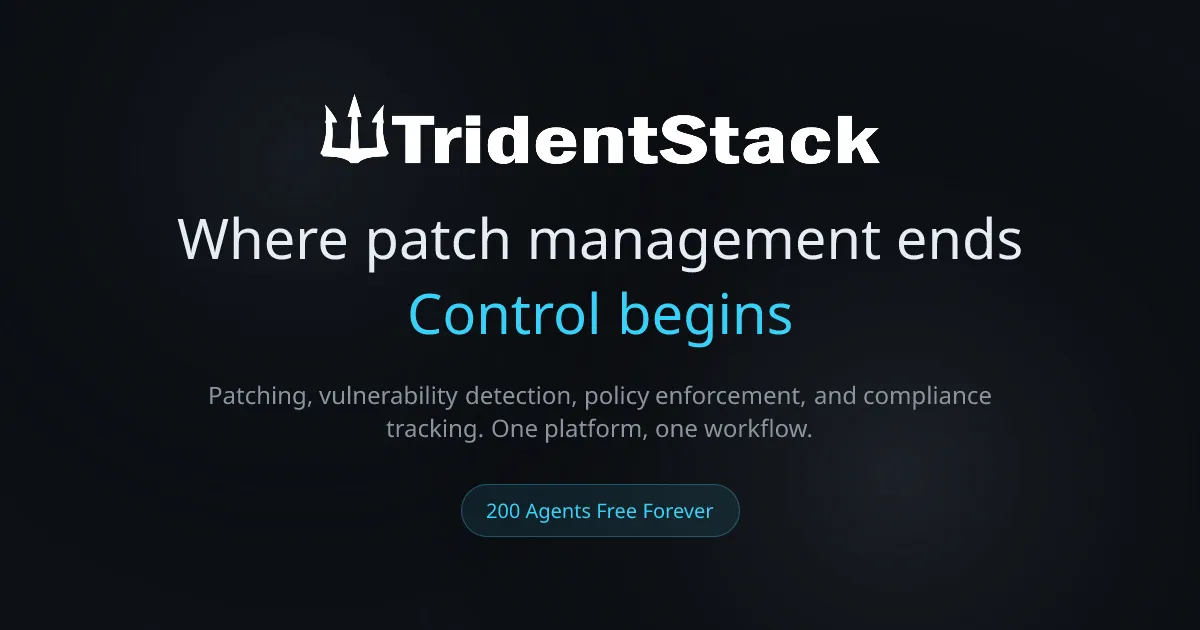
The TridentStack website presents a modern, clean interface with a dark theme and clear typography. Navigation is straightforward—the main page leads to feature descriptions, use cases, and pricing information. The design language suggests a focus on data visualization, with dashboard mockups showing health scores, compliance trends, and vulnerability counts in card-based layouts. The color scheme uses blue and green accents against dark backgrounds, which is professional and easy on the eyes during extended use.
Based on the visible interface elements, the learning curve appears moderate. The Fleet Health Dashboard is intuitive—color-coded health scores (green, yellow, red) provide immediate context, and drill-down menus are logically organized. The policy deployment interface shows template selection with preview capabilities, which reduces the risk of misconfiguration. However, the depth of policy settings (thousands available) means new users may need training to understand which policies apply to their environment.
One standout design decision is the unified remediation workflow. Rather than separate tabs for patching, vulnerabilities, and compliance, TridentStack presents them as interconnected views. This reduces cognitive load for IT administrators who are used to context-switching between tools. The mobile responsiveness of the website is adequate, though the dashboard is clearly designed for desktop use given the data density.
Potential rough edges include the lack of a public demo environment or interactive walkthrough on the website. Prospective buyers must sign up to experience the interface firsthand. Additionally, the website’s technical subpages (like the CSS and JavaScript files at /ts.js) suggest a modern React-based frontend, but the actual dashboard performance cannot be assessed without hands-on testing. Overall, the design signals a product that prioritizes function over flash, which is appropriate for its target audience.
Pricing & Value
TridentStack offers a free tier for up to 200 endpoints, which is unusually generous in the endpoint management space. This tier includes patch management, vulnerability detection, policy deployment, and compliance tracking—essentially the full feature set, not a crippled demo. For small businesses, startups, or pilot programs, this eliminates the financial barrier to entry.
Paid pricing scales with endpoint count, though specific per-endpoint costs are not publicly listed on the main website. Based on industry standards for similar platforms (Automox charges approximately $2-4 per endpoint per month, NinjaOne around $3-5), TridentStack is likely positioned competitively. The upgrade path from free to paid is clear: when an organization exceeds 200 endpoints, they move to a paid tier that maintains the same features with higher limits and priority support.
The value proposition is strong for organizations currently paying for multiple tools. A typical stack of patch management ($3/endpoint), vulnerability scanning ($5/endpoint), and compliance tooling ($2/endpoint) can cost $10+ per endpoint per month. TridentStack’s unified platform at a comparable or lower price point represents significant savings. The free tier also serves as a risk-free trial—organizations can deploy on 200 endpoints, validate the workflow, and then scale without renegotiating contracts.
The main question is whether the paid pricing includes premium features like advanced reporting, API access, or dedicated support. If these are locked behind higher tiers, the value equation changes. However, for most mid-market organizations and MSPs, the free tier and standard paid offering likely provide sufficient capability.
Who Is TridentStack Best For?
TridentStack is best suited for three specific user segments. First, MSPs managing 50-500 endpoints per client who need a single pane of glass for patching, compliance, and vulnerability management across heterogeneous environments. The unified dashboard and per-client health scores directly address the operational complexity of multi-tenant management. Second, compliance-driven organizations in regulated industries (finance, healthcare, government) that must maintain audit-ready posture against CIS, DISA STIG, or Microsoft baselines. The automated scoring and remediation guidance reduce manual compliance work significantly. Third, remote-first companies with mixed operating systems where traditional on-premises tools like Active Directory Group Policy are ineffective. TridentStack’s agent-based policy deployment works regardless of network location.
Organizations that might look elsewhere include large enterprises with 10,000+ endpoints who need advanced features like patch approval workflows with multiple sign-offs, deep SIEM integration, or custom compliance framework creation. TridentStack’s feature set appears optimized for mid-market scale, and enterprise buyers may find more mature solutions from Tanium, Ivanti, or Microsoft Intune. Additionally, teams already deeply invested in a single ecosystem (e.g., all-Microsoft shops using Intune and Defender) may find TridentStack redundant rather than complementary. The product’s value is highest for heterogeneous environments, not homogeneous ones.
Final Thoughts
TridentStack’s greatest strength is its genuine unification of four traditionally separate domains—patch management, vulnerability detection, policy enforcement, and compliance tracking—into a single, coherent workflow. The lightweight agent, cross-platform support, and generous free tier lower the barrier to comprehensive endpoint management. For MSPs and mid-market IT teams, the platform delivers on its promise of reducing tool sprawl and operational overhead.
The most notable limitation is the lack of public pricing transparency and the absence of deep integrations with ticketing and SIEM systems. Organizations with complex workflows may need to supplement TridentStack with additional tools for incident response or advanced reporting. Additionally, as a newer entrant, the product’s ecosystem of community resources, third-party integrations, and support documentation is less mature than established competitors.
TridentStack is worth trying if you manage 50-500 endpoints across multiple operating systems and are tired of juggling separate tools for patching, vulnerability scanning, and compliance. The free tier for up to 200 endpoints makes evaluation risk-free. Consider TridentStack when you need a unified platform that connects policy, patching, and compliance into one actionable view—especially if your organization values simplicity over deep customization. For the right team, it represents a genuine step forward in endpoint management efficiency.