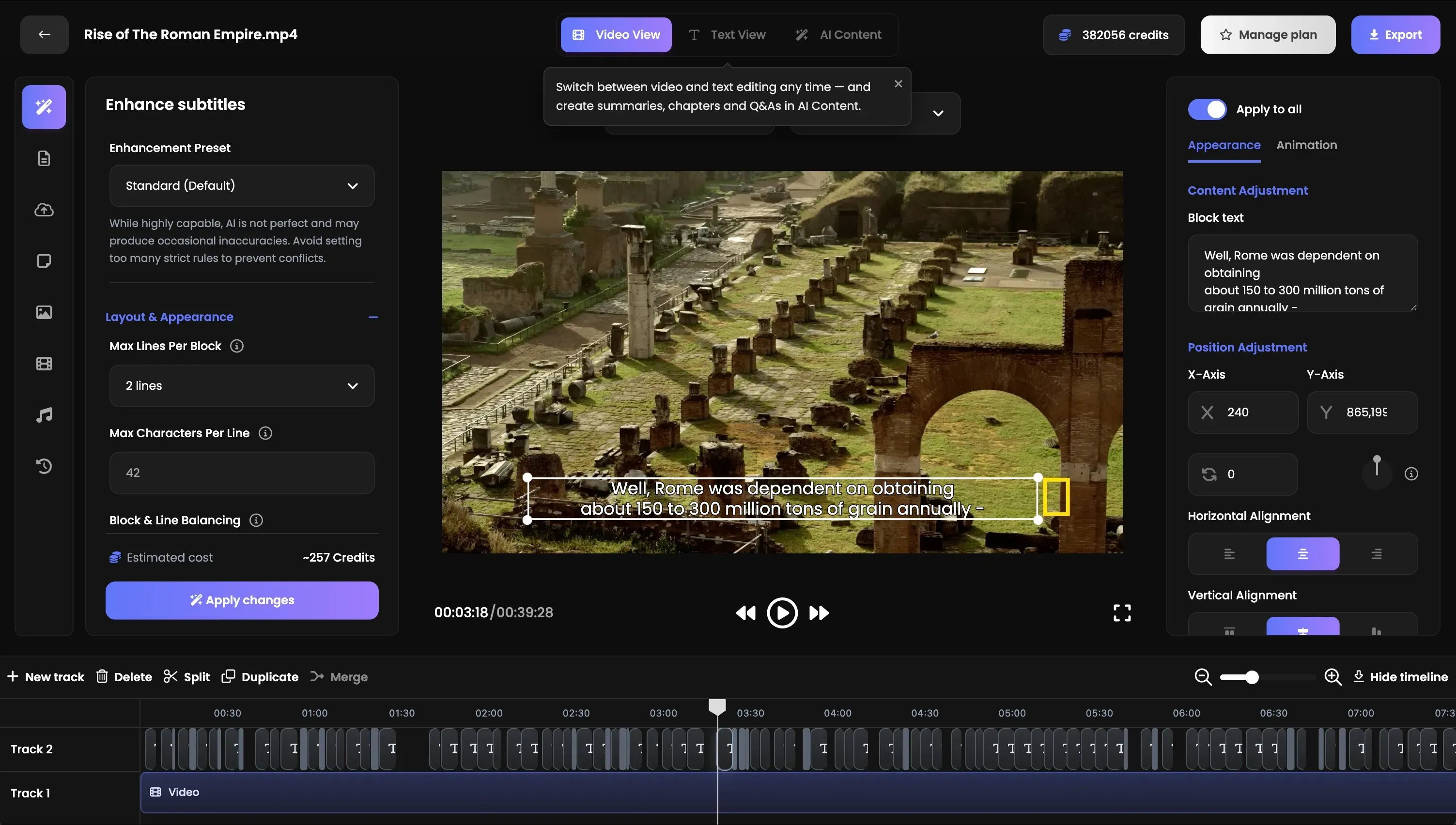
Professional subtitles in over 70 languages, from any audio or video file, plus an accurate transcript with speaker labels. Style captions to your brand, translate them, edit on a real timeline and export SRT, VTT or DOCX. Hosted in the EU.

40+ free image tools that run entirely in your browser — no uploads, no sign-up. Convert, compress, resize, crop, filter and strip EXIF without an account.


Softwarera is a curated software directory pairing honest editorial write-ups with best-of guides across AI, SaaS, developer, and productivity tools.
Submit your website to get discovered by thousands of potential customers and boost your SEO.
Get ListedInwista creates professional subtitles in over 70 languages from any audio or video file, together with an accurate transcript with speaker labels. Upload a file or paste a link, pick the language, and a few minutes later you have finished captions and a full transcript you can read, correct and export.
Most tools stop at raw speech to text. Inwista is built for the step after that, where captions have to be readable, correctly timed and on brand before anyone can publish them. It covers two jobs that usually need two separate products. One is pure transcription for recordings that never go near a video editor. The other is a complete video studio for projects where the subtitles are part of the final picture.
Finished captions can be published straight to YouTube, Vimeo, Wistia, Bunny Stream and Cloudflare Stream. Files can be delivered automatically to Google Drive, Dropbox, OneDrive, SharePoint, Box, Amazon S3 or Google Cloud Storage, with notifications in Slack.
For teams that want subtitles without opening an app at all, a REST API and webhooks run the whole pipeline from upload to finished file. Inwista also connects to automation platforms such as n8n and Make, so you can build a fully automated transcription pipeline with n8n.
Inwista has a free plan with 45 minutes of transcription and rendering every month. Paid plans start at 19 euro per month.